What can Kolay IK do for your company? A full product tour

November 28, 2026


"Consolidating HR reports from different ERP systems and the countries we operate in used to take us around two months."
That is H. Özgür Özcan, Rewards and People Analytics Manager at Kordsa Global, describing life before the company started using Kolay IK HR Analytics. Two months is a long time. By the time that report was finished, people had joined, left and changed teams, and the numbers in it were already out of date.
Most people come to HR software with a smaller problem than Kordsa's. The holiday spreadsheet has stopped working. Nobody is sure which copy of the staff list is the current one. A manager approved a day off by text message and forgot to tell anyone. This post is for that reader. It walks through what Kolay IK does, application by application, so you can judge whether it fits your company. It is long because the product covers a lot of ground, so use the headings to jump to the part you need.
One question runs underneath all of it. Is HR software a place where you file things, or something your people open every day?
We have arranged the answer in three parts. The first covers the records that everything else depends on. The second covers how people in the company reach each other. The third covers reports, and we have given them more room than usual because they are where the first two parts pay off. After that come sections on day-to-day use in the UK, on companies that operate in more than one country and on getting started.

Part 1. The record everything else depends on
Every employee detail in one place
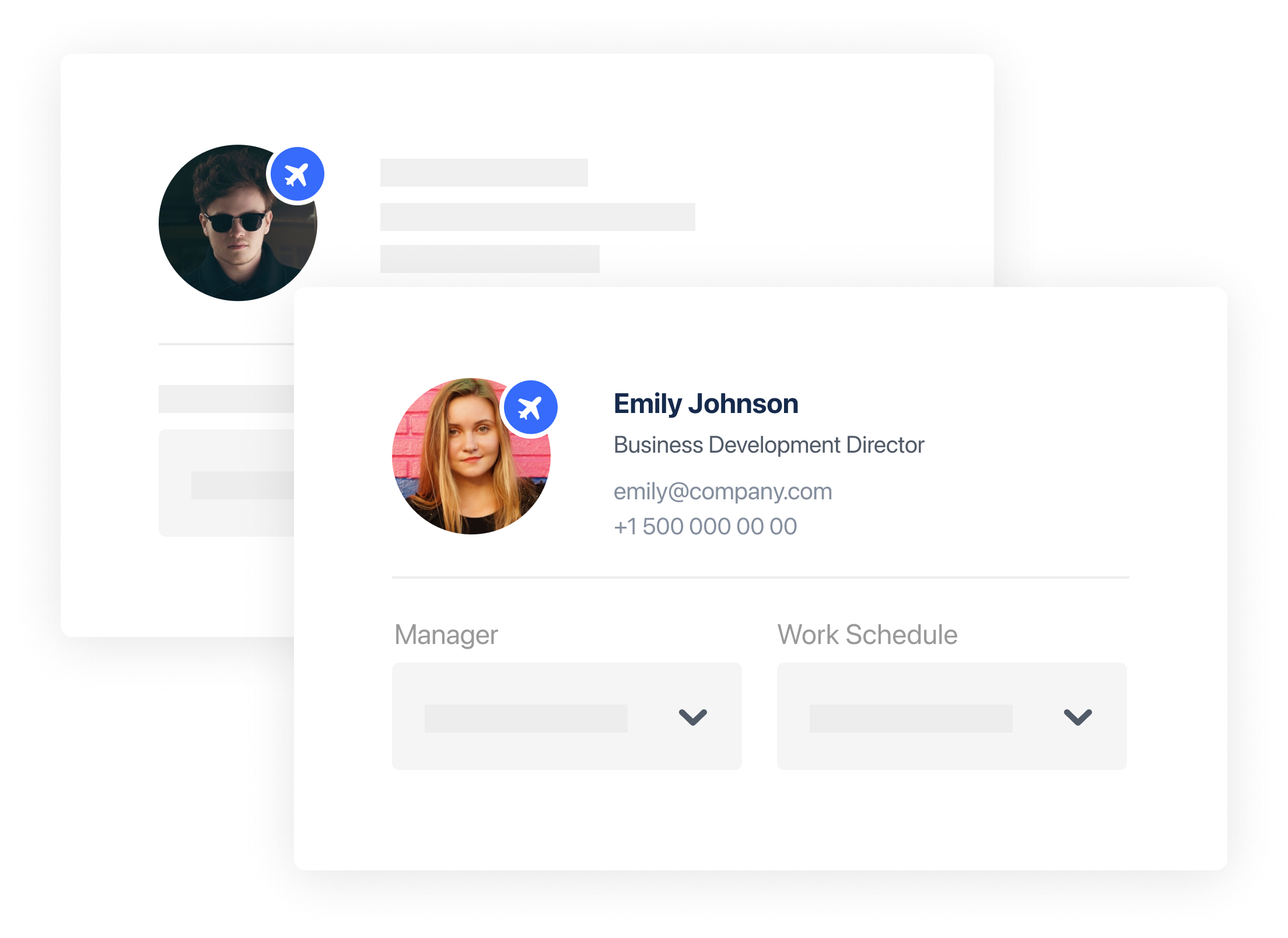
Employee Management is the application most companies start with. Each employee has a single record that holds their personal details, their documents, their manager, their work schedule and their history with the company, from the day they join to the day they leave. If your company tracks something the standard record does not have, you add a custom field for it.
Documents are stored and archived on the record, so a signed contract or a training certificate sits next to the person it belongs to. Smart reminders tell you when a date you care about is coming up. Company assets, training, expenses and payments such as advances and bonuses are tracked in the same application, which means the laptop someone was given on day one is still on their record when they hand in their notice.
You do not have to type any of this in from scratch. Your existing employee list is imported from Excel in one go.
Leave and overtime
Annual leave is usually the first process a company moves out of email, and Leave Management is where it goes. An employee requests time off from their phone or laptop. The request goes to whoever has to approve it, and if more than one person has to sign it off, it moves along the chain by itself. The approver can see who else in the department is already off on those dates without leaving the approval screen.
Balances, accruals and future-dated leave are calculated automatically for every employee. You can add your own leave types and write detailed entitlement rules for each one. You can also build as many approval workflows as you need, for one employee, for a department or for the whole company.
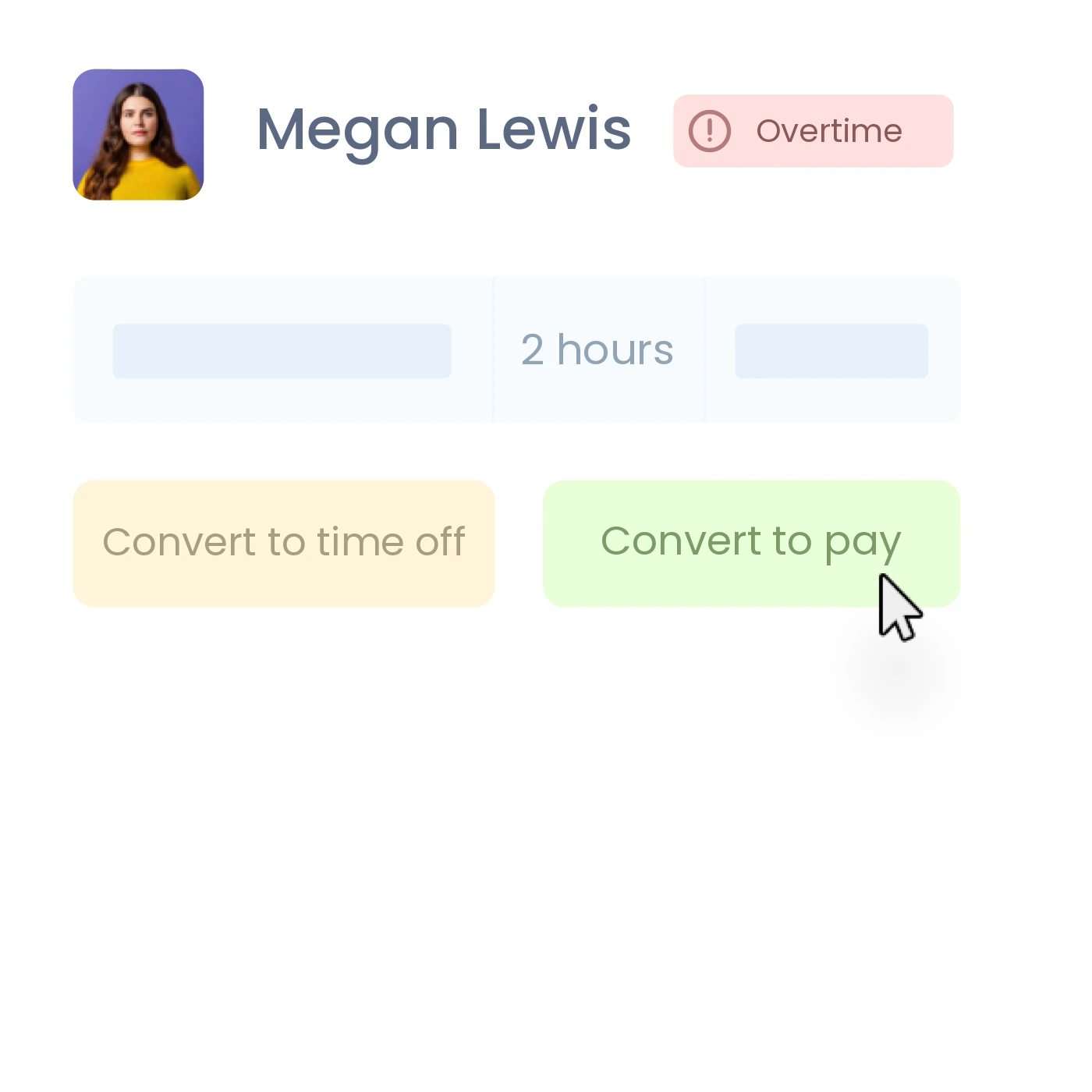
Overtime follows the same route. Once a request is approved, you convert it either to pay or to time off in lieu with one click. If it becomes time off, it shows up in the employee's leave balance straight away.
The UK rules themselves are in our guide to annual leave, carry-over and bank holidays.
Time, attendance and timesheets
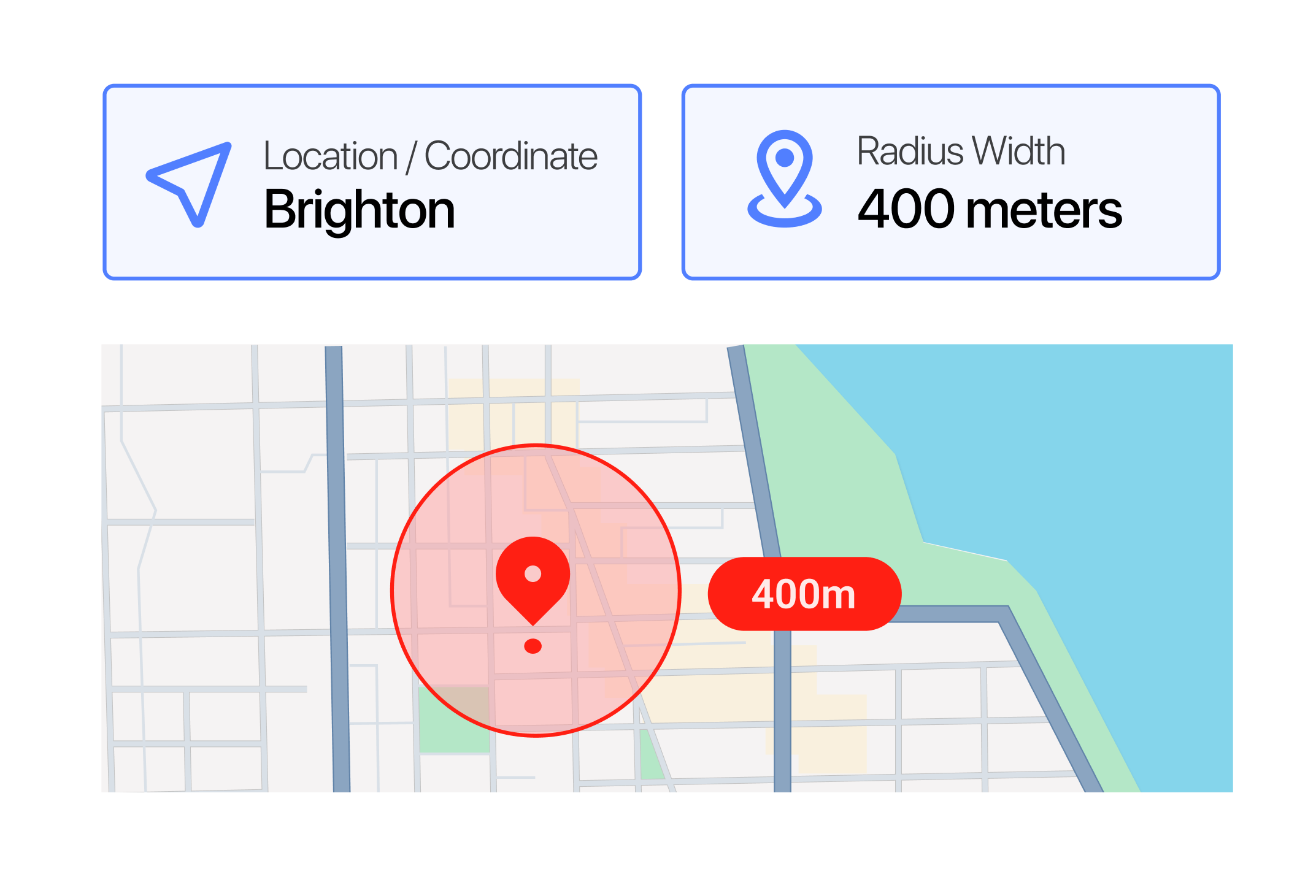
Time & Attendance records when people start and finish work, and it does so without turnstiles or card readers. Employees clock in and out by scanning a QR code with their phone. For field and remote teams, the location is verified by GPS within a radius you set.
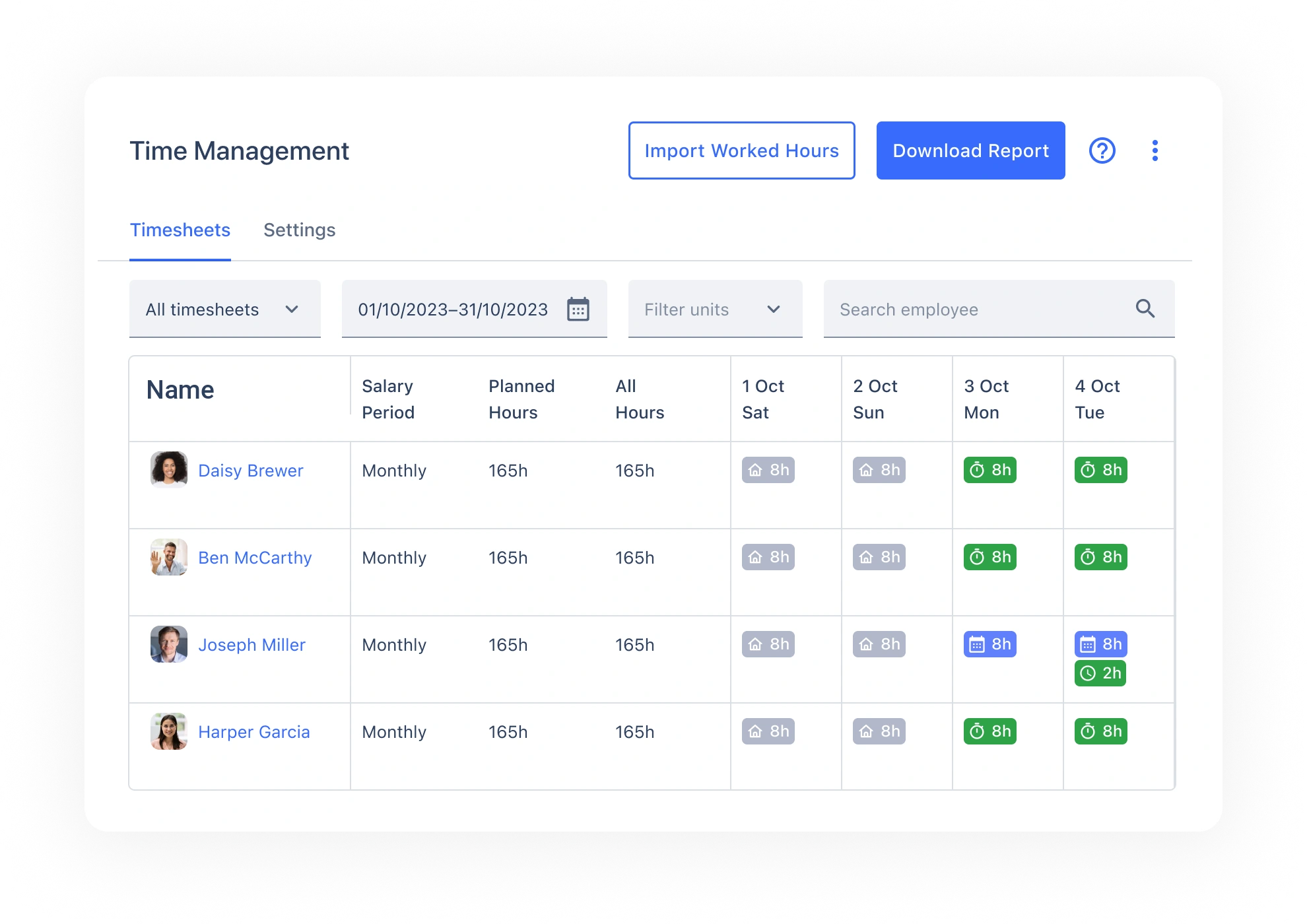
Every entry lands on the timesheet as it happens, next to approved leave and bank holidays. Late arrivals and early departures are flagged to the manager. A live list shows who is in and who has clocked out, and some companies put it on a screen in the office. When someone forgets to clock out, their manager or a timesheet administrator corrects the entry manually.
Two details matter to UK employers in particular. The system does not use fingerprints or facial recognition, so you are not collecting biometric data, which counts as special category data under UK GDPR when it is used to identify staff. And if you already have turnstiles, you can keep them. If you have several sites, all of them report into the same dashboard.
Rotas
If your people work shifts, Shift & Rota replaces the spreadsheet and the group chat. Employees submit their availability from any device. You see the whole team's availability on one screen and build the rota by day, week or month. Gaps in cover are visible before the rota goes out. You set your own rules for working hours, shift types and breaks, and the team checks the finished rota on their phones.

Hiring
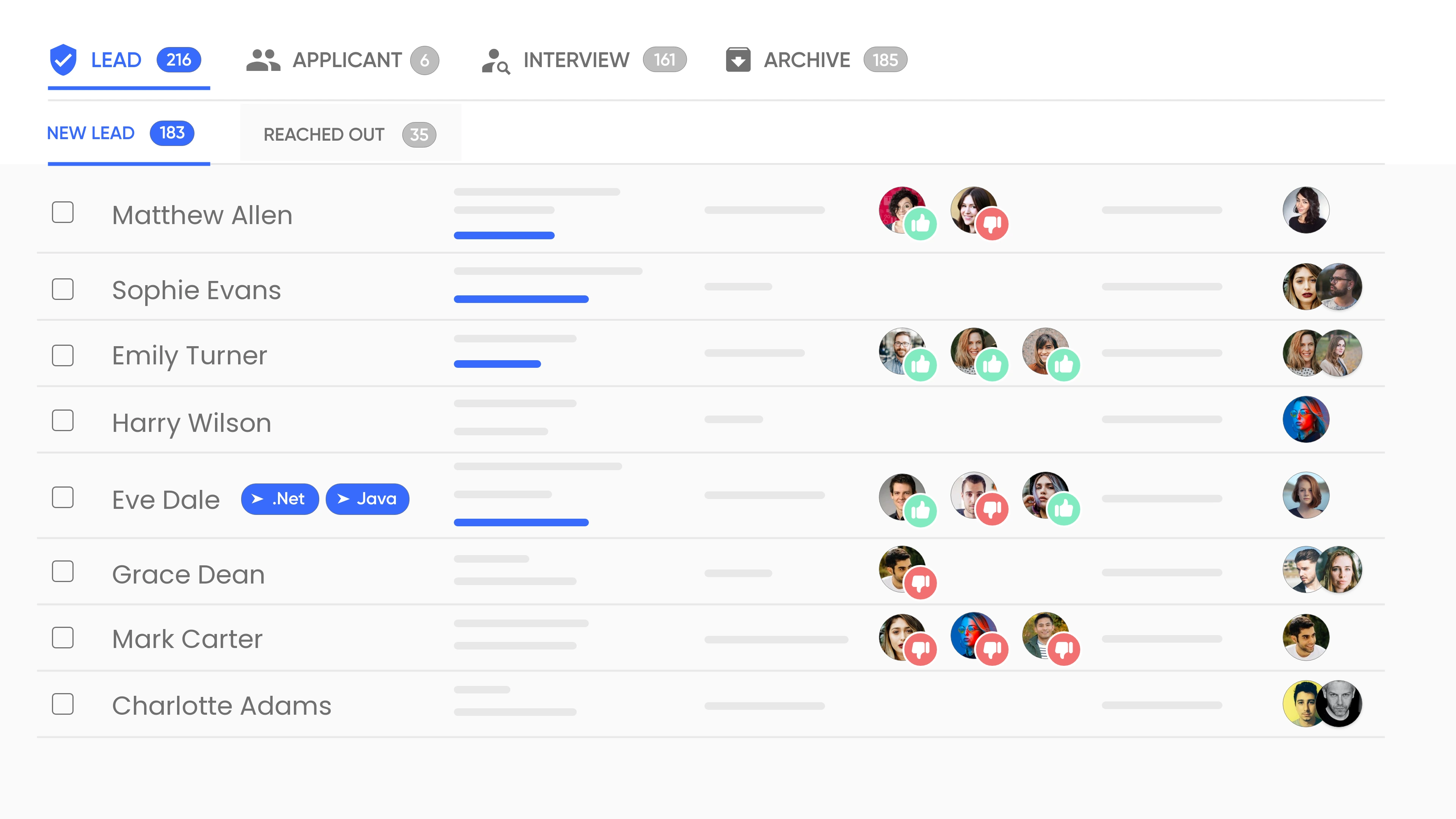
The record often starts before the employee does. Applicant Tracking covers hiring from the job advert to the offer. You build a branded careers page without a developer and publish your vacancies on it at no extra cost. Each role can have its own application page and its own stages.
CVs are parsed automatically, and candidates are tagged by the skills they list. Interviews are scheduled from a shared calendar inside the application, with Zoom, Google Meet and Microsoft Teams connected. Everyone involved in a hire adds notes and fills in a scorecard, so the decision does not rest on whoever spoke last in the meeting. Candidates you did not hire stay in a searchable pool for the next vacancy.
Part 2. A company that can reach its own people
A complete record is useful to the HR team. On its own it does very little for everyone else. If the HR team is the only group that ever logs in, the software has not changed how the company works.
A directory for the whole company
The question employees ask most often has nothing to do with policy. Who is the new person, which team are they in and how do I get hold of them? That is what the Kolay IK company directory is for. Employees can look up colleagues on the web or in the mobile app and find the contact details of the person they need.
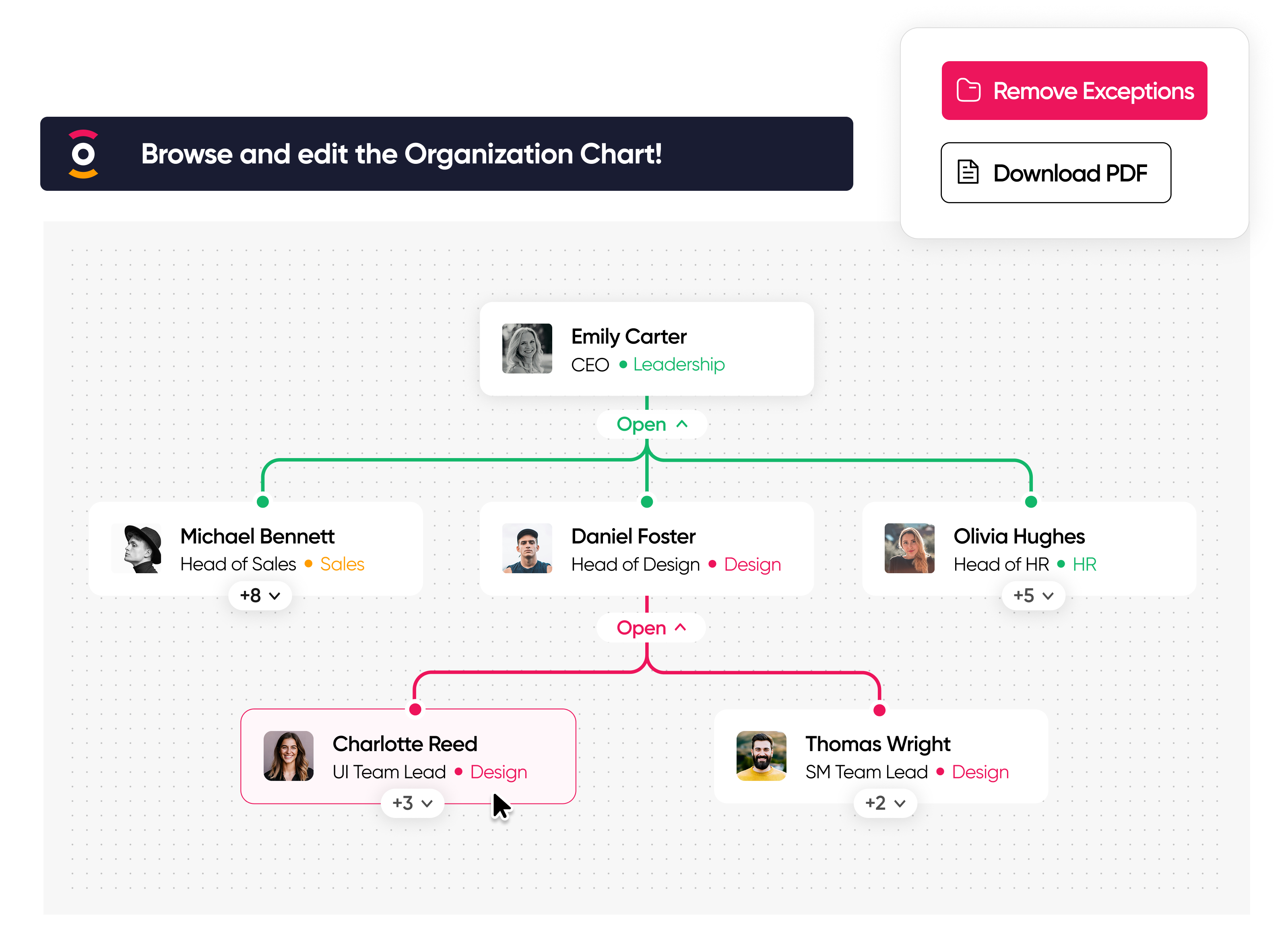
The org chart shows who reports to whom. You filter it by level, department and date, leave out any positions you do not want shown, and download it as a PDF.
Announcements
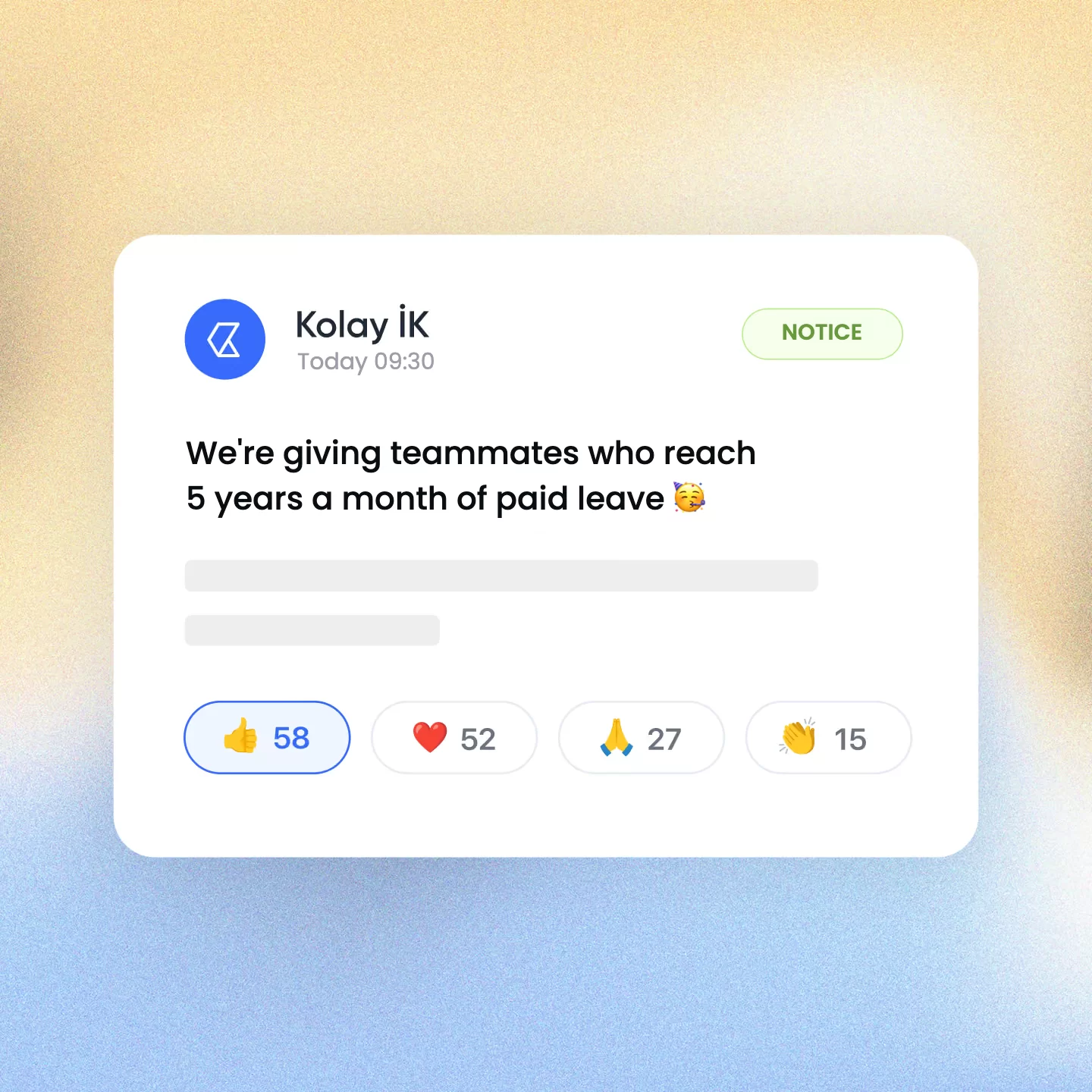
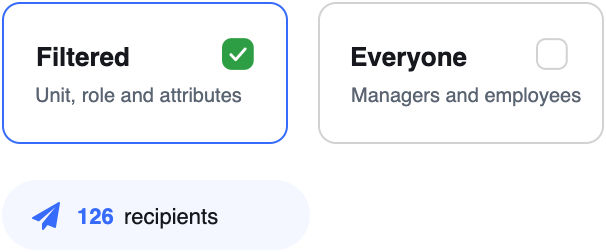
The Announcements module is how the company speaks to its people. You write the announcement once, with a title, text and an image. You choose who receives it, either the whole company or an audience filtered by department (or unit), role or other attributes. You choose the channels, which are email, mobile notification and the Kolay IK Feed. Then you preview how it will look on each one and send it now or schedule it for later.
Each announcement has a type, such as a company event, an HR update or an urgent alert, so people can tell at a glance whether it needs action. Employees react with emojis, which gives you a quick sign of whether the message was seen. Published and scheduled announcements sit in one list, and an activity log records who published, scheduled or archived each one.
Surveys are on the way
Announcements go one way. We are building surveys so that you can ask your people a question and collect the answers in the same place their records are kept. Surveys are not live yet, and we would rather describe them properly when they are. We will write about them here on the day they launch.
Part 3. From records to decisions
Performance reviews
Performance Review lets you run a review for the whole company or for a single department. You choose what to measure. It can be goals, competencies or both in the same cycle. Goals can be numerical or descriptive. Competencies such as leadership, communication and adaptability come with ready-made question sets that you can edit.
Reviewers are picked from the org chart. Add the manager only and you have a 90-degree review. Add peers, direct reports and a self-assessment and you have a full 360. When the cycle opens, every participant receives an email with the details. You can see who has not finished and remind them with one click, which saves the HR team from answering "when does the review period end?" over and over.
There is a fuller walk-through in our guide to performance reviews in Kolay IK.

Salary reviews
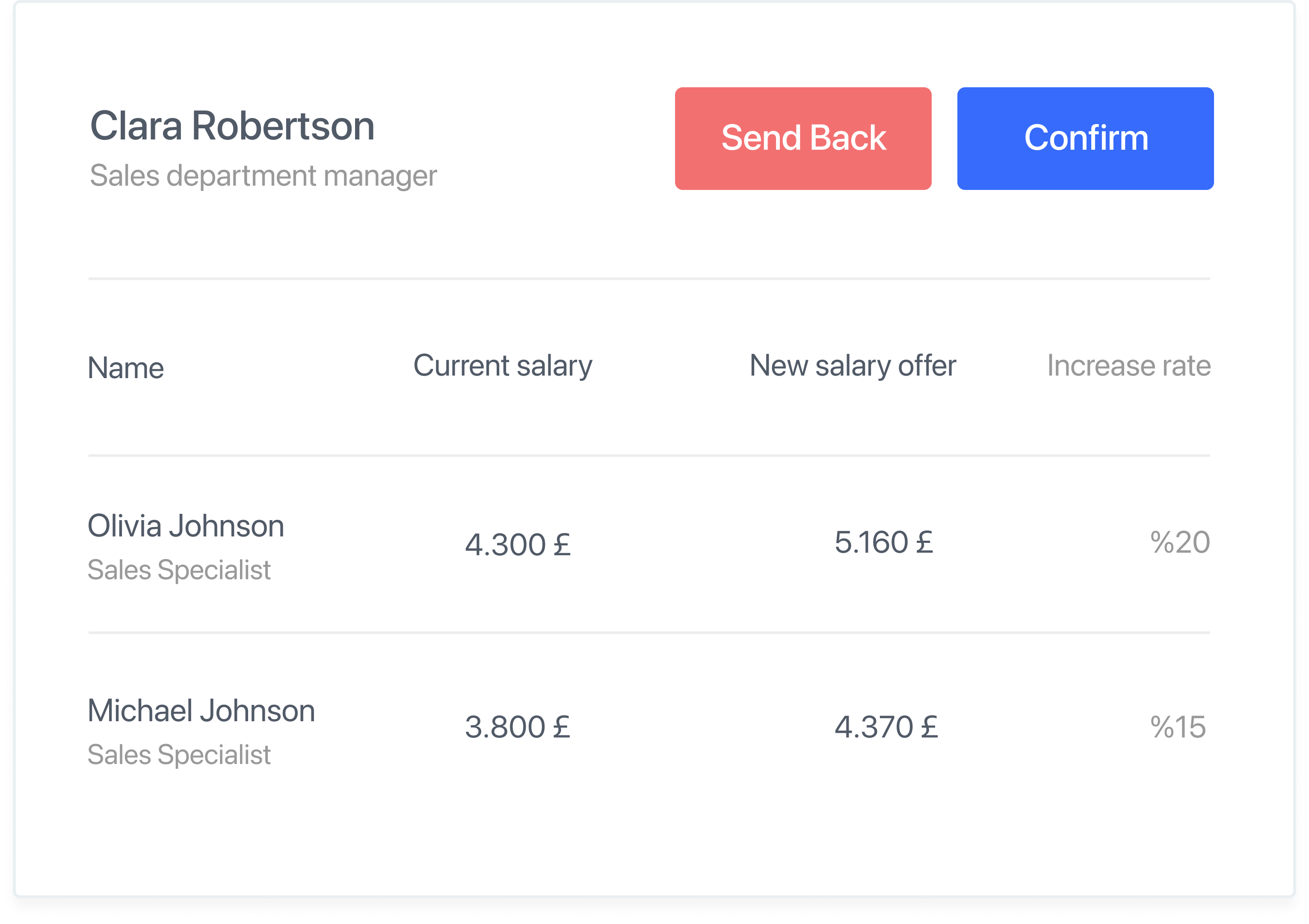
Pay reviews tend to live in long email threads. Salary Review gives them a structure. You define who proposes, who approves and who only needs to be kept informed. Line managers enter a proposal for each of their direct reports. The approver accepts it or sends it back for revision. You can open a cycle at any point in the year, so an off-cycle review works the same way as the annual one.
Reports, in detail
This is the part people ask us about most, so here is what you can get out of the system.
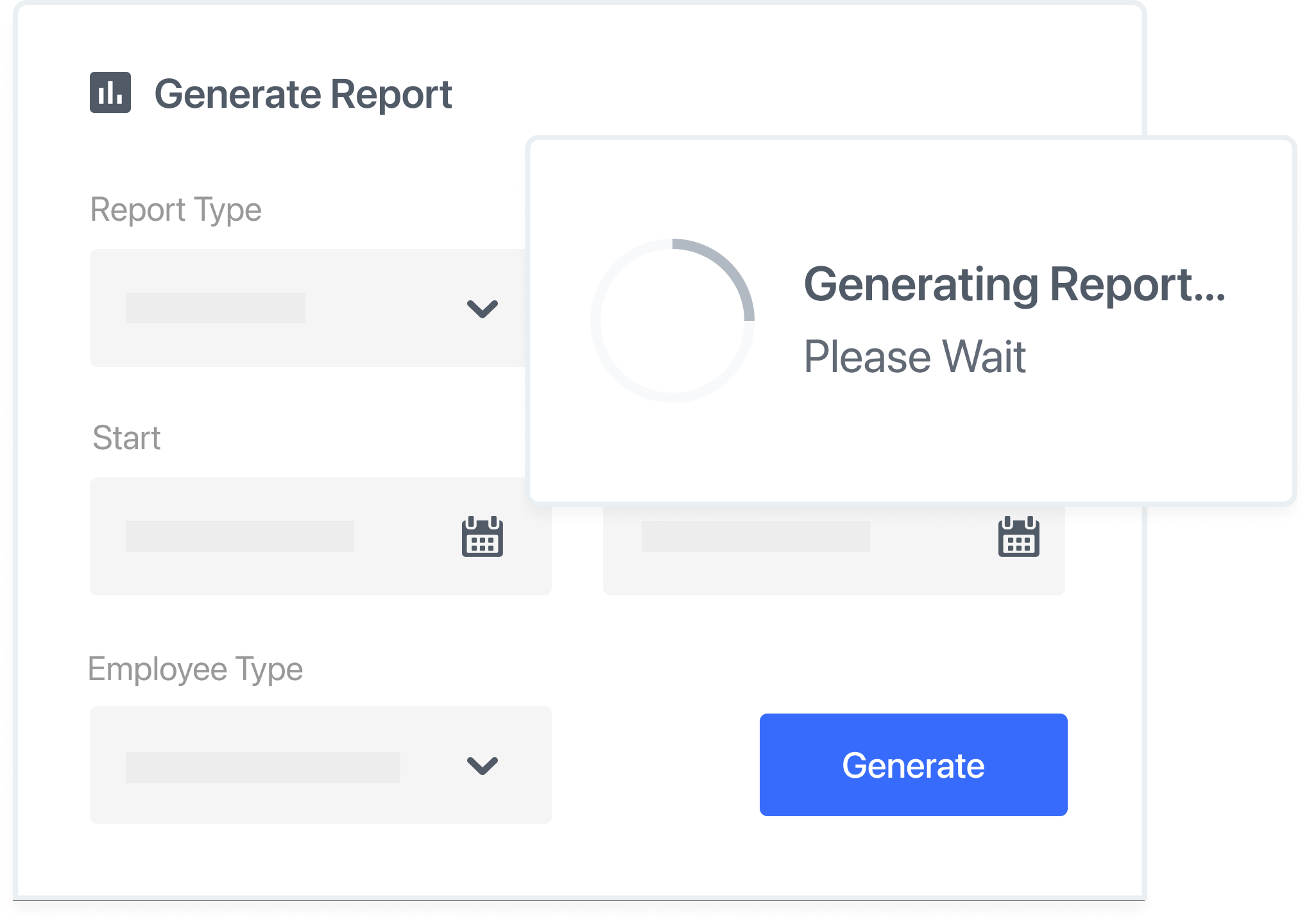
There are two kinds of report in Kolay IK. Ready-made reports cover the questions every company asks, and you download them in one click. The second kind is the one you build yourself. With the "Build Your Own" report builder you choose the data you want, apply any filters you like and download the result, typically as an Excel file. Any piece of data held in Kolay IK can go into a report, so employee details, leave balances, overtime, expenses, bonuses and advances can all sit side by side in a single report.
Each application also has reports of its own.
| Question | Where the answer comes from |
|---|---|
| How much leave does each person have left, and does it reconcile? | Leave balance and leave reconciliation reports |
| How much overtime and absence did we have last month? | Monthly overtime and absence summaries |
| What goes to payroll this month? | Payroll-ready leave and timesheet reports |
| Who worked which shifts? | Rota reports by department, date range and employee type, with a monthly breakdown per employee |
| How did the review cycle go? | Individual and bulk performance reports with every reviewer's feedback and average competency scores |
| What did we agree in the pay review? | Salary review outcome reports |
| How long does it take us to fill a vacancy? | Recruitment metrics, with time-to-fill calculated automatically, which you can export to Excel |
One limit is worth stating plainly. Kolay IK does not run UK PAYE payroll. It gives you payroll-ready leave, overtime and timesheet reports to pass to your UK payroll provider or accountant.
Access is yours to decide. You choose who can download performance reports, and timesheet administrators have their own permission level, so a site manager can pull attendance figures without seeing salaries.

HR Analytics
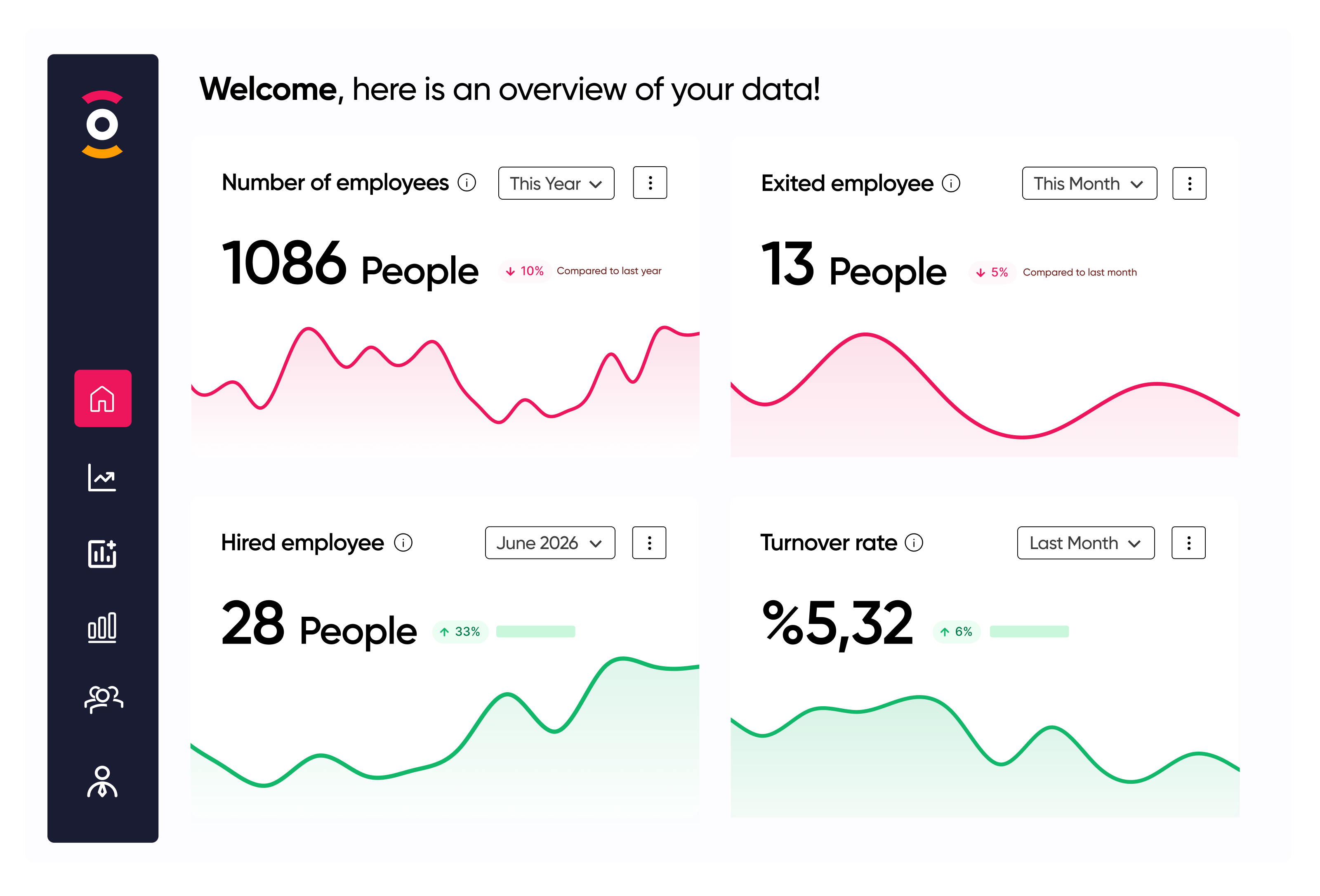
Reports answer the question you thought to ask. HR Analytics is for the ones you did not. It shows your headcount, starters, leavers and turnover rate as live figures, and you filter them by time period and category.
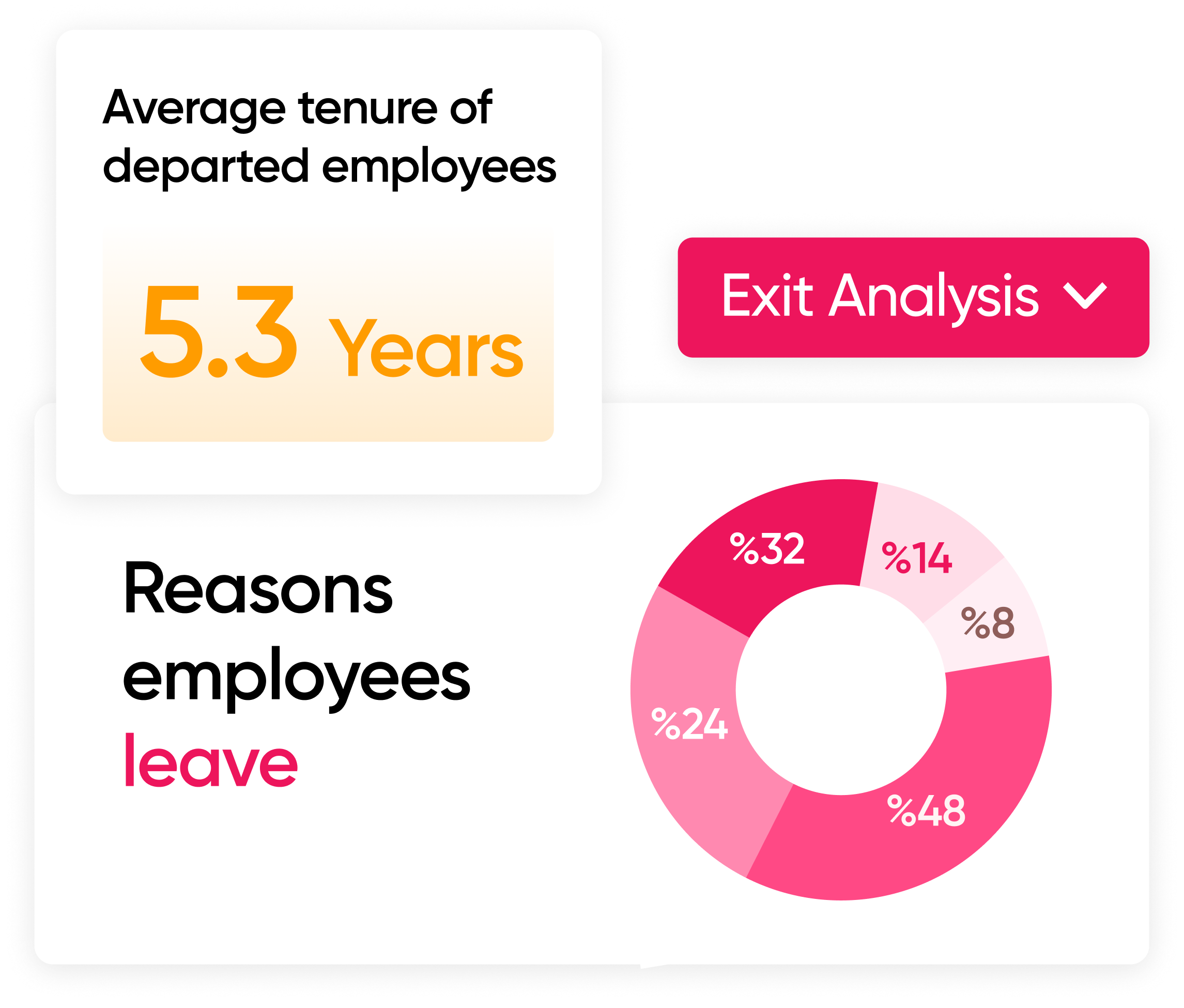
It goes further than counting. Turnover analysis breaks down why people leave and how long they stayed before they did. You can look at leave use and overtime together to see where a team is stretched. Workforce demographics such as age group, education and gender are there when you need them for a board paper or an internal pay and diversity review. A built-in AI analyst reads your historical data and sorts what it finds into recommendations and areas to watch. Where data is missing or looks wrong, the application suggests a fix.
Analytics is not limited to data that started in Kolay IK. You can upload .xlsx, .xls or .csv files, or connect other systems through the API, and analyse everything on one screen. That is the feature that gave Kordsa those two months back.
How UK teams use it day to day
Most of what a UK HR team does in a normal week runs through the applications above. Four examples, each with a guide if you want the detail.
- Right to work checks. You store the copy of each check on the employee record, behind tiered permission levels, and set a reminder for the date a follow-up check is due. Our guide to right to work checks covers the rules.
- Probation. Employee Management reminds you before a probation period ends, and Performance Review lets you run the probation review from a template. See our guide to probation periods.
- Hiring and onboarding. Applicant Tracking takes a vacancy from advert to offer, and the new starter's record is ready for their first day. Our guides to writing a job advert and employee onboarding go through both.
- Quick sums. For holiday entitlement, statutory sick pay, the Bradford Factor, notice periods and the cost of an employee, there are free HR calculators.
Managing companies in more than one country
Do you have companies in different parts of the world? If your group operates across several countries, you can manage every entity from the same place. This is the situation Kolay IK's flexible structure was built for, and two of our users describe it better than we can.
Kordsa, quoted at the top of this post, was pulling HR data from different ERP systems in every country it operates in. TAV Airports had a different version of the same problem. In the words of Suna Akgül, Senior HR Specialist there: "We operate in more than 20 countries and each one has very different leave rules. Thanks to Kolay IK's flexible structure, we set up all those leave rules in the system with ease. Processes that used to take us hours are now done in minutes." You can read more in our user stories.
In practice that comes down to four things. Leave types and entitlement rules are defined separately for each country and company structure, so a team in one country does not inherit another country's holiday policy. Approval workflows are set by company, branch or department. Time and attendance covers multiple locations from one dashboard. And reports and analytics bring every entity together, so the group HR director sees one set of numbers while each local team keeps working in its own way.
What Kolay IK does not do is replace local legal advice in each country, and we would be wary of any software that claimed to. If one of your countries is Türkiye, we also run local payroll there. More than 2,600 companies and 300,000 employees use Kolay IK.
Getting started
Kolay IK runs in the browser and in a mobile app, so there is nothing to install. You create an account, import your employee list from Excel and start with the application you need most. You can add the others later.
What is included, and what is optional
| Application | How you get it |
|---|---|
| Employee records, documents, company assets, expenses, payments and training | Included in Employee Management |
| Leave and overtime | Included in Employee Management |
| Timesheets and time tracking | Included in Employee Management |
| Performance Review | Separate module |
| Shift & Rota | Separate module |
| Salary Review | Separate module |
| Applicant Tracking | Separate application |
| HR Analytics | Separate application |
| Time & Attendance (QR and GPS clock-in) and Announcements | Work on top of Employee Management. Ask us how they fit your plan |
Pricing is per employee, and you pay only for what you use. The pricing page has the detail.
Where your data lives
Kolay IK Limited is a company registered in England and Wales, and it is registered with the Information Commissioner's Office. Your data is hosted on AWS in Frankfurt, Germany, which is covered by the UK's adequacy regulations for the EEA. It is encrypted in transit with TLS 1.2 or higher and at rest with AES-256, and we hold ISO/IEC 27001, ISO/IEC 27701 and ISO 9001:2015 certifications. Our group company in Türkiye provides engineering and support, and that access is covered by the ICO's International Data Transfer Agreement. The data processing agreement and the list of sub-processors are published in full.
If you want Kolay IK to talk to your other systems, there is a REST API. Support comes from people, by live chat and email, and there is a help centre with step-by-step guides.
Who it suits, and who it does not
Kolay IK is a good fit if:
- you are a growing company that has outgrown spreadsheets and email for HR;
- your people work shifts, or across several sites;
- your group has companies in more than one country.
It is not the right tool if:
- you need software that runs UK PAYE payroll itself;
- you are looking for an employer of record to hire people on your behalf.
Summing up
We started by asking whether HR software is a place where you file things or something your people open every day. Kolay IK begins as the first. The employee record, leave, attendance, rotas and hiring all have to be right before anything else is worth doing. It turns into the second when employees look each other up in the directory, when announcements reach them on their phones and when managers run reviews and pay proposals in the same place. The reports are what you get when all of that is in one system.
There is one thing we do not know yet. When surveys launch, employees' own answers will sit next to the data on record for the first time. We are curious to see what companies learn from the two together, and we will share what we find.
If you would like to see Kolay IK with your own company's structure in it, book a demo. You can also try it free for 15 days, with no setup needed and no card required.
Frequently asked questions
Does Kolay IK run UK PAYE payroll?
No. Kolay IK gives you payroll-ready leave, overtime and timesheet reports, which you pass to your UK payroll provider or accountant. For a team in Türkiye, we run local payroll.
Where is our employee data stored?
On AWS in Frankfurt, Germany. It is encrypted in transit with TLS 1.2 or higher and at rest with AES-256. The data processing agreement and the list of sub-processors are published on this site.
Can we start with Employee Management and add modules later?
Yes. Most companies start with Employee Management and add Performance Review, Shift & Rota, Salary Review or another application when they need it.
How long does it take to get started?
You can create an account and import your employee list from Excel on the same day. Activation takes ten days at most.
Is there a mobile app?
Yes. Employees request leave, clock in and out with a QR code, check the rota and read announcements on their phones, and managers approve requests there.
How does the 15-day free trial work?
You create an account and start using Kolay IK straight away. There is no setup and no card is required.
Important: this article is not legal advice
This article is general information and is not legal, tax or payroll advice. Employment rules differ from country to country and change often. Please speak to an employment lawyer or a qualified accountant in the relevant country before acting on any legal, tax or payroll point mentioned here.
You can contact us at any time.